August Product Pulse: AI Avatars, Live Avatar Walls and Easier Sharing
August was all about helping event organizers create more personalized attendee experiences, bring AI avatars into the event itself, and make designing and sharing advocacy content easier.
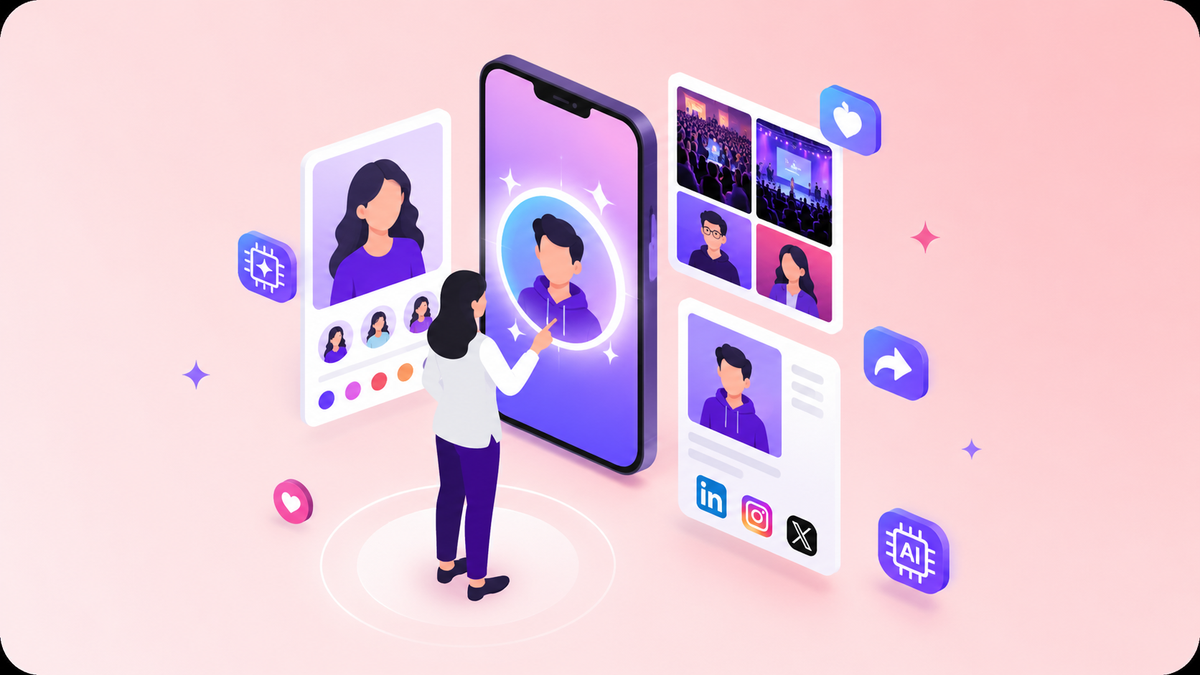
We’re continuing to make Premagic easier for organizers to build, personalize, and share event content. This month’s updates focus on four areas: AI avatars in advocacy posters, a live Avatar Wall for events, improvements to the poster editor, and a simpler social sharing experience.
AI Avatars Are Now Part of Advocacy Posters
Attendees can now use an AI-generated avatar instead of their regular LinkedIn profile photo when creating an advocacy poster.
Here’s how it works.
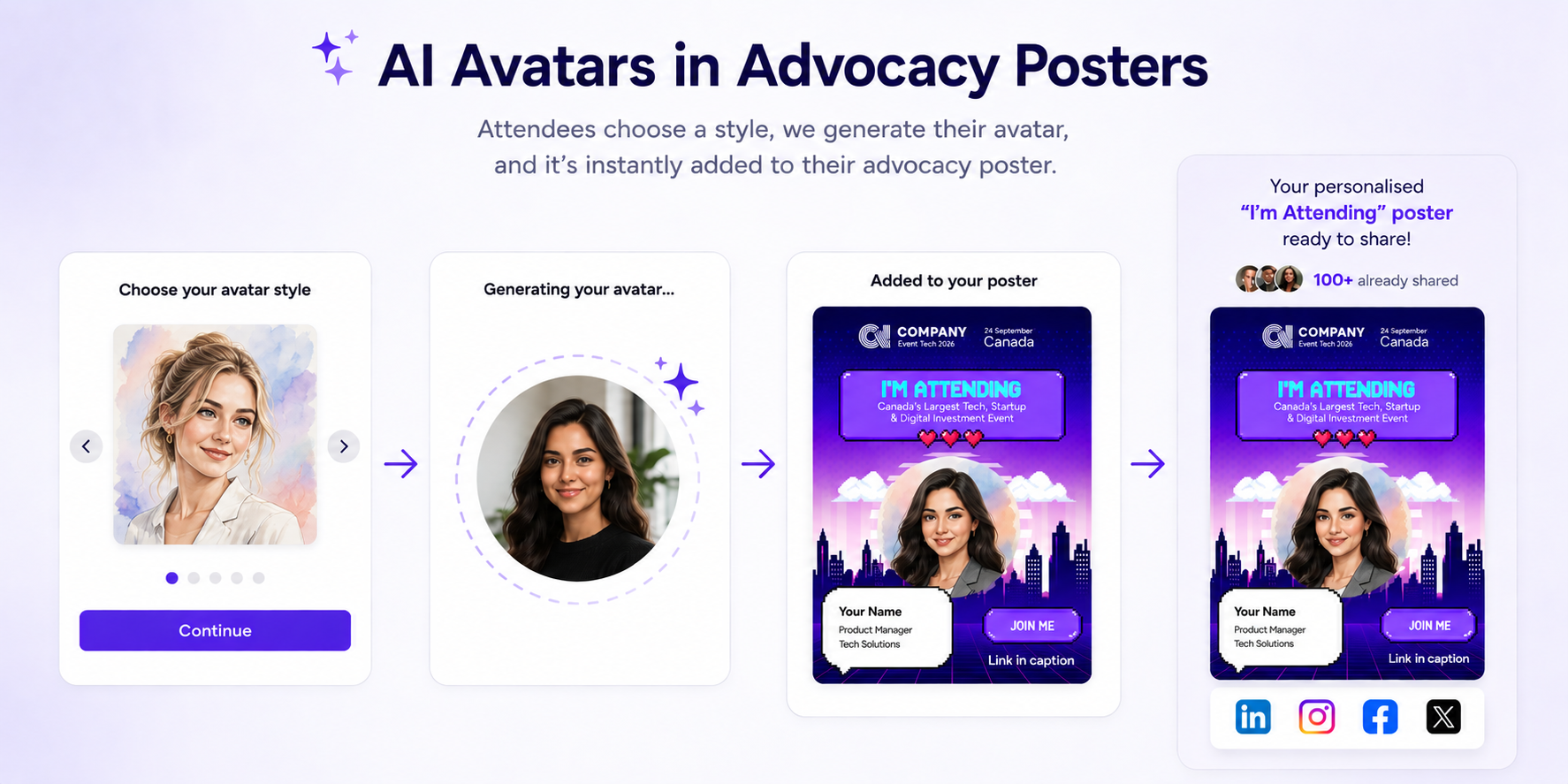
When an attendee starts creating their advocacy poster through LinkedIn, Premagic checks whether the organizer has an avatar experience set up for the event. If it does, the attendee is prompted to choose an avatar style.
Once they select a style, their avatar is generated and automatically added to their event advocacy poster.
The result is still the familiar “I’m attending” advocacy poster, but instead of showing the attendee’s standard LinkedIn headshot, it features an AI-generated version of them.
This gives attendees another way to personalize the content they share while keeping the process simple. Connect LinkedIn, choose a style, and the avatar is added to the poster.
The avatar experience also connects with another new feature this month: the Live Avatar Wall.
Bring Avatars to Life With the Live Avatar Wall
Avatars don’t have to stay inside individual posters.
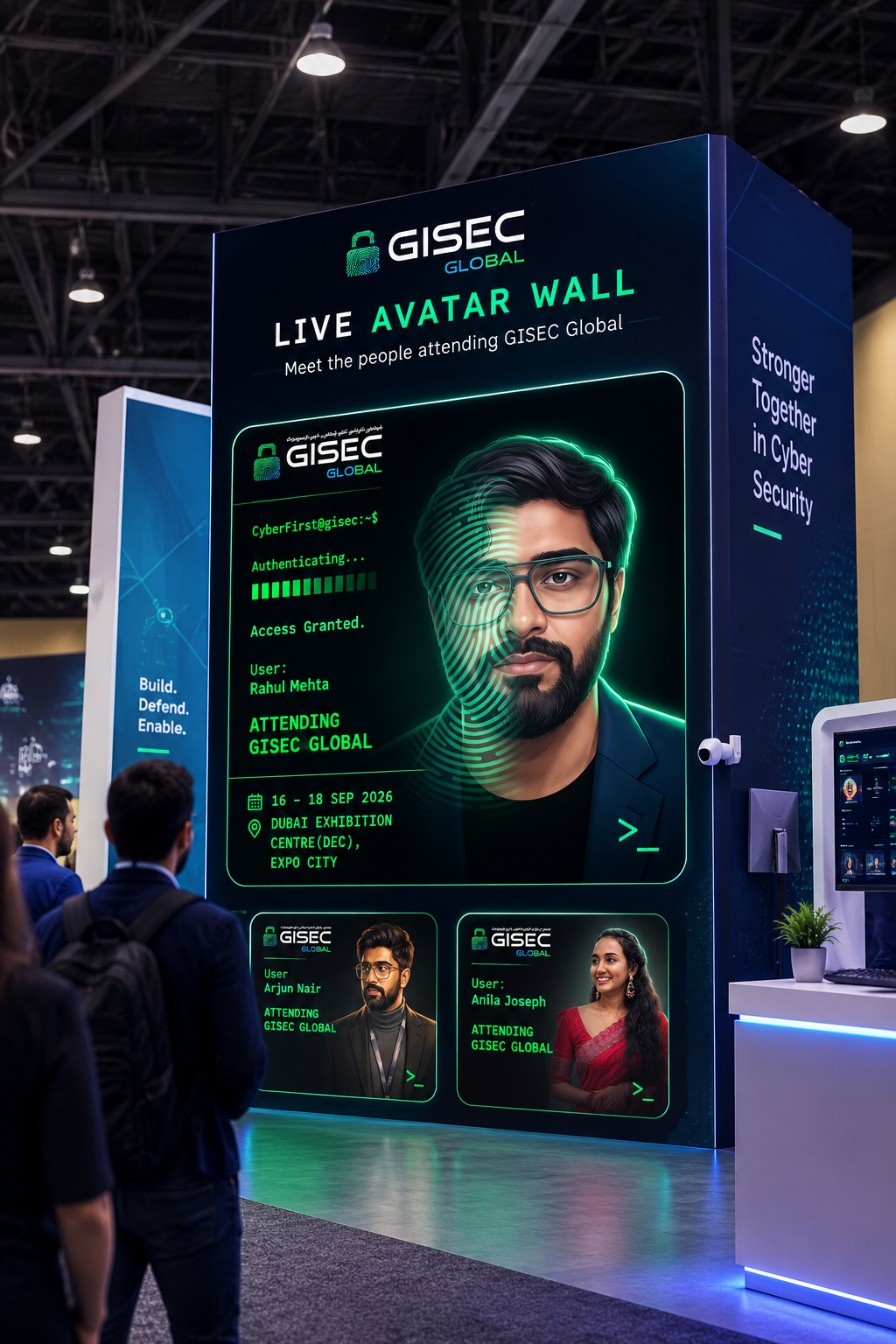
With the new Avatar Wall, newly generated avatars can appear live on an event display. As attendees create new avatars, they are added to the wall automatically. Organizers can also choose how many avatars should be displayed at one time.
The Avatar Wall is designed to be displayed on LED walls or event screens, making it a way to bring attendee-generated avatars into the physical event experience.
So an attendee can create an avatar for their advocacy poster, while that same avatar experience can also become part of what everyone sees at the event.
A More Flexible Poster Editor
We’ve also made several improvements to the poster editor to make designing and updating creatives easier.
The layers panel has a new look, and some controls have been moved into the options menu to make the workspace cleaner. We’ve also added keyboard shortcuts to help users work faster.
Another useful addition is the new color picker. You can pick a color directly from anywhere on your screen, or use it to identify colors already present in your design. This makes it easier to match elements to your event branding.
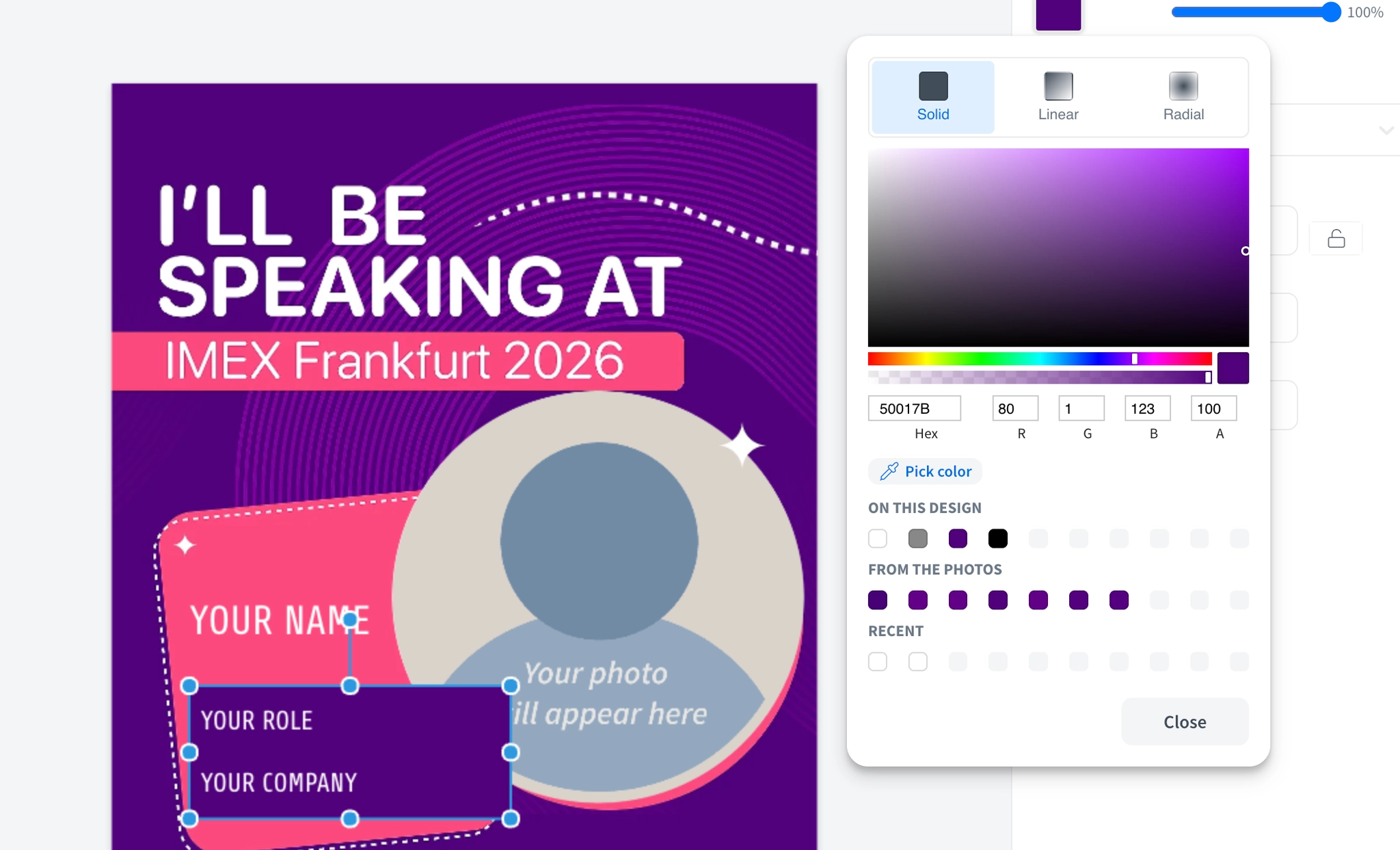
We’ve also improved what happens when you duplicate a poster. The duplication flow now prompts you to set the background for the new poster, making it easier to create multiple versions of a design without starting from scratch.
These are small changes, but they make the day-to-day process of creating campaign creatives more straightforward.
A Simpler Way to Share Advocacy Posts
We’ve also cleaned up the social sharing experience so attendees can more easily understand what to do after creating their poster.
When an attendee starts the sharing process, they now see clearer options for the different social platforms. For example, they can choose to share directly to LinkedIn or Instagram from the same flow.
The sharing flow also gives attendees another prompt after they share, encouraging them to continue sharing content instead of stopping after their first post.
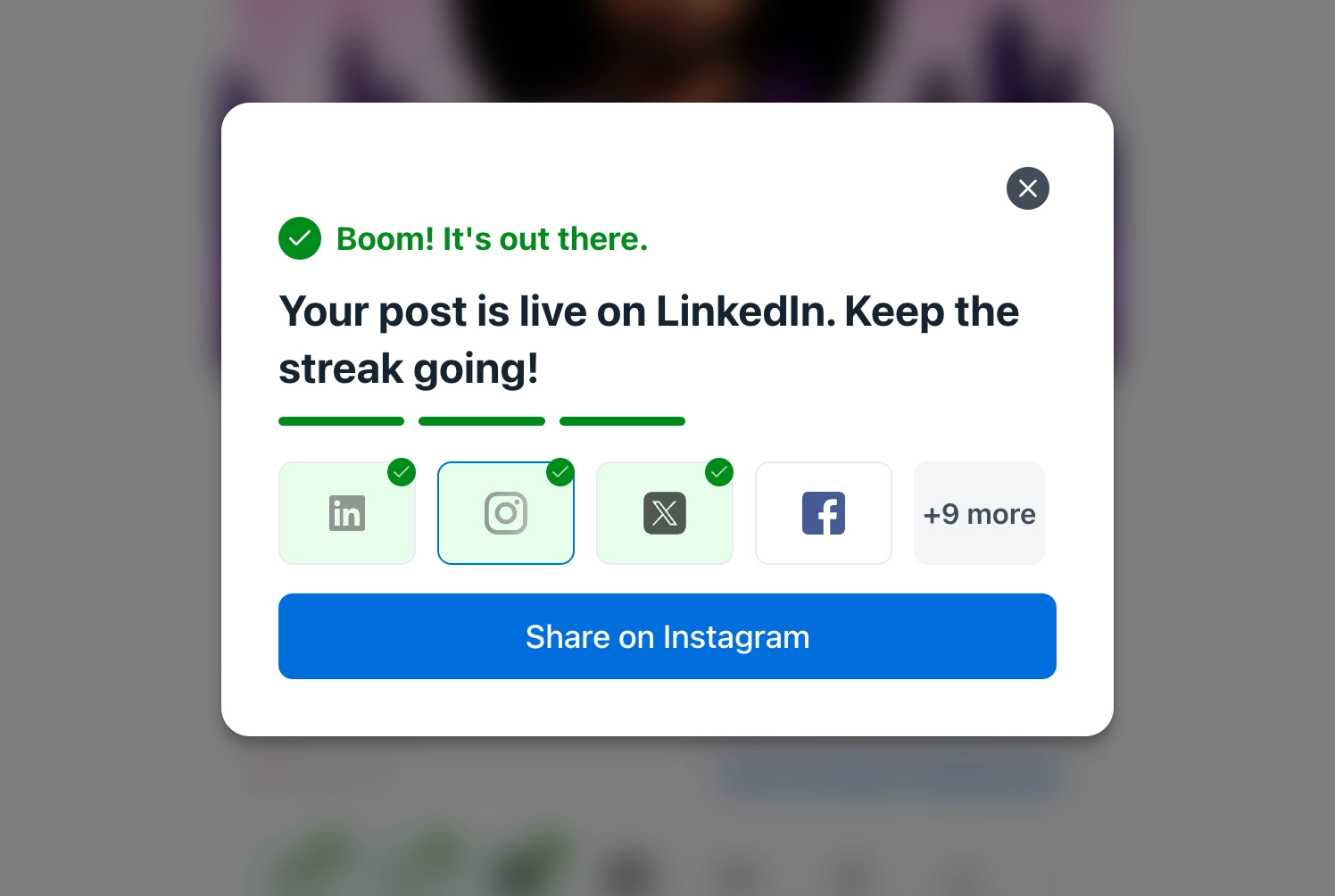
The goal is simple: fewer confusing steps between creating an advocacy poster and actually sharing it.
More Ways to Create and Share
This month’s updates bring together different parts of the Premagic experience.
AI avatars give attendees a new way to personalize their advocacy posters. The Avatar Wall takes those avatars from individual experiences to live event displays. Editor improvements make it easier for organizers to create and manage their designs. And the updated sharing flow makes it simpler for attendees to get their content onto social media.
We’ll keep building on these experiences to make event content more personal, more engaging, and easier to share.