June Product Pulse: Introducing LinkedIn Carousels and Faster Navigation
June's updates are all about helping event organizers create richer advocacy campaigns and move around the Premagic Dashboard with less friction.

This month, we're introducing one of our biggest Advocacy Poster updates yet: multi-slide carousel posters for LinkedIn. We've also added a new Spotlight Search to help you navigate the dashboard in seconds.
Here's everything that's new.
Create LinkedIn Carousel Posters
One poster is good. A carousel is even better.
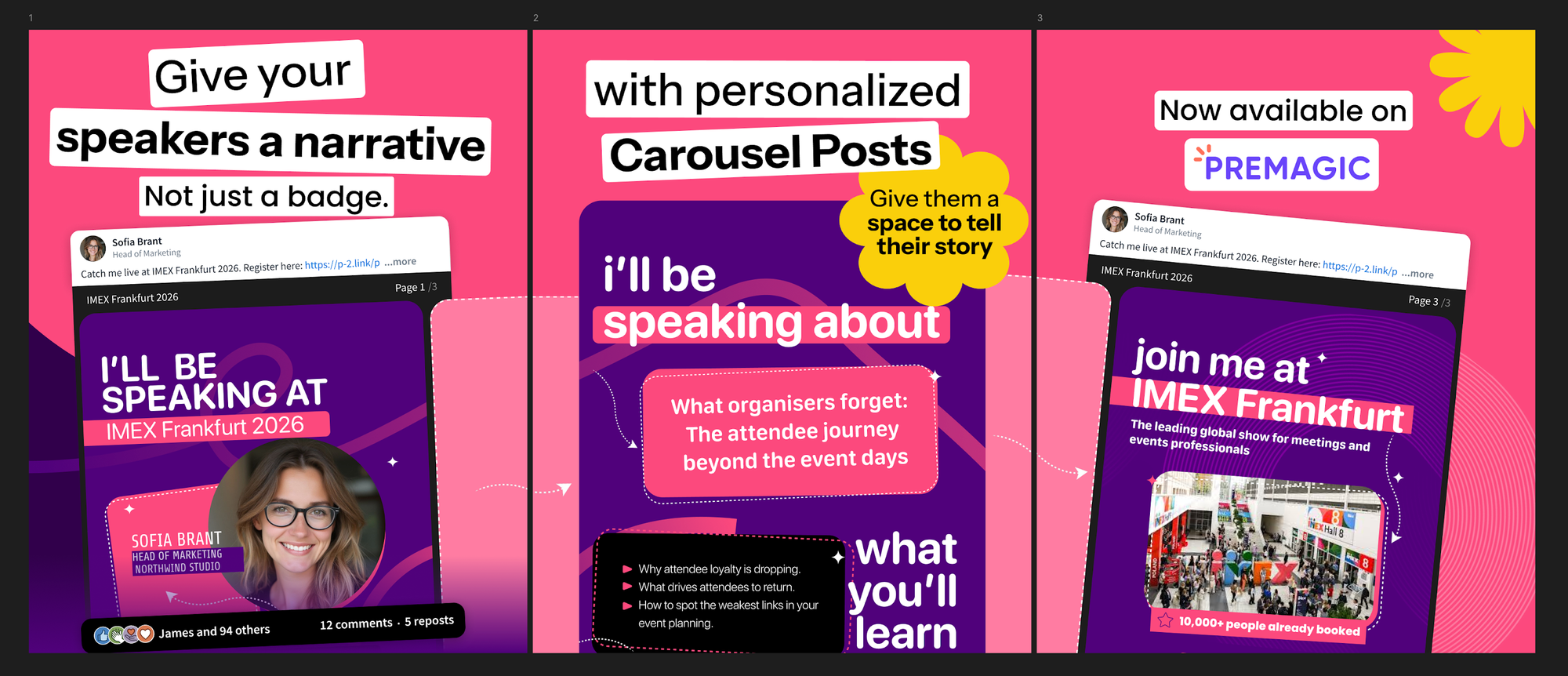
You can now create multi-slide Advocacy Posters in Premagic, allowing attendees, speakers, exhibitors, and sponsors to share an entire story instead of a single image.
Instead of limiting advocates to one static poster, organizers can now design a sequence of slides that people can swipe through directly on LinkedIn.
Why does this matter?
Carousel posts naturally encourage people to spend more time interacting with your content. Instead of a quick glance, viewers are more likely to swipe through multiple slides, increasing engagement and giving you more opportunities to communicate your message.
For event organizers, that opens up a lot of creative possibilities.
A single advocacy post can now include:
- An "I'm Attending" announcement
- Speaker highlights
- Event agenda or session details
- Sponsor promotions
- Venue information
- Calls-to-action
- Registration or referral messaging
- Product announcements
- Post-event highlights
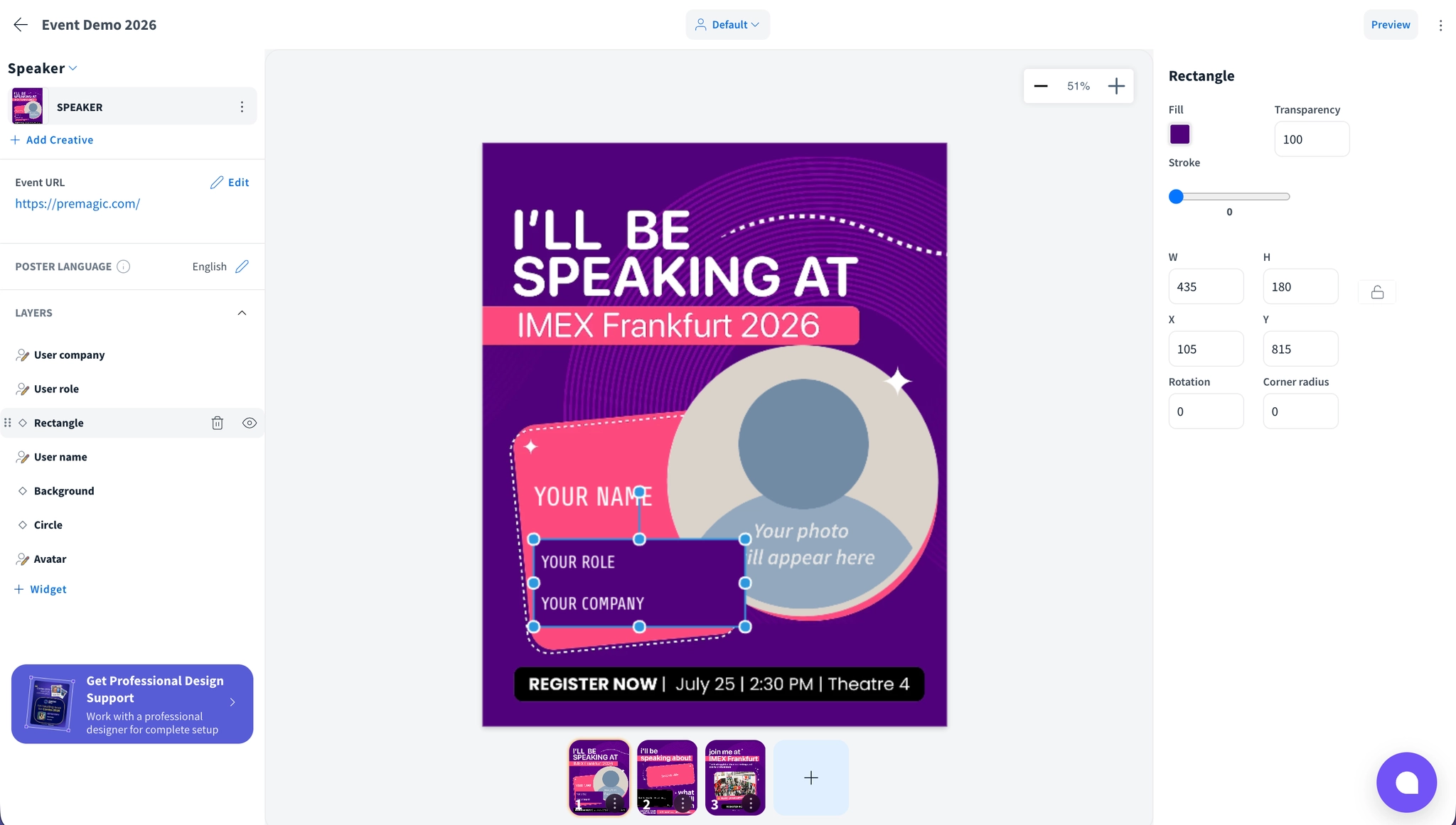
Instead of choosing what to include on one image, you can now tell the complete story.
This is especially useful for speakers and sponsors.
A speaker could use their carousel to introduce themselves on the first slide, promote their session on the second, and invite attendees to connect afterwards on the third.
Sponsors can combine brand messaging, product highlights, booth information, and exclusive offers in a single share.
Because every slide is still personalized for the advocate, you're able to create richer campaigns without adding more work for your attendees.
We're excited to see how organizers use carousel posters to create more engaging advocacy campaigns throughout the event lifecycle.
Spotlight Search for Faster Navigation
If you've ever found yourself clicking through multiple pages to find a setting, form, or session, this one's for you.
We've added Spotlight Search to the Premagic Dashboard.
Simply press ⌘ + K (or Ctrl + K on Windows) from anywhere in the dashboard to instantly search and jump to the page you're looking for.
Need to update event settings? Looking for Sessions? Want to jump to Forms, Gallery Settings, or another section?
Search.
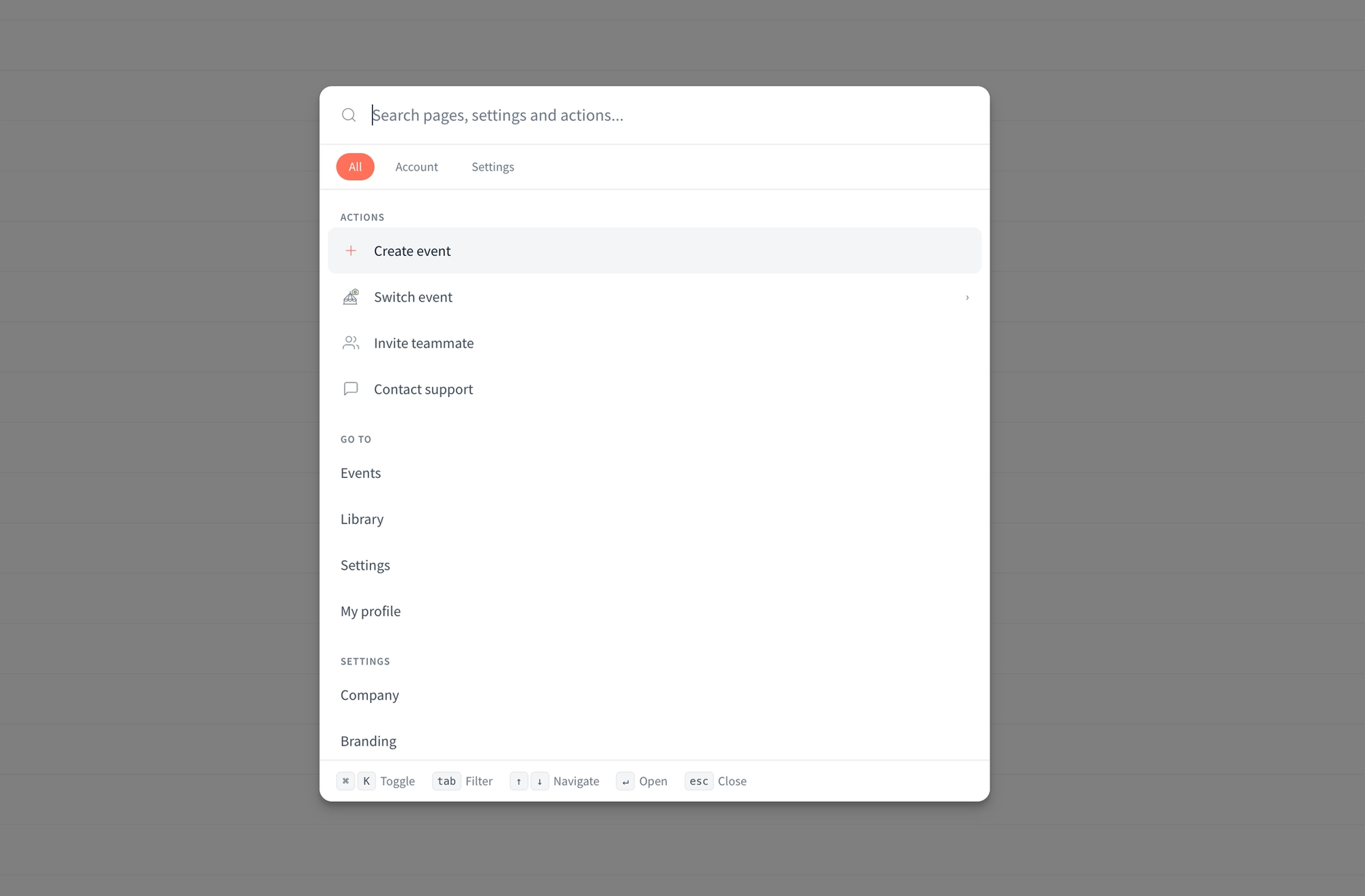
It's a small quality-of-life improvement that makes a big difference when you're working on multiple events or making last-minute changes before launch. Less clicking. Faster navigation.
June's updates are focused on helping you create more engaging advocacy campaigns while making the Premagic Dashboard faster to use.
With LinkedIn Carousel Posters, your attendees can now share richer stories that drive more visibility for your event. And with Spotlight Search, finding what you need inside the dashboard takes just a few keystrokes.
As always, these updates are shaped by feedback from organizers running events every day. We've got plenty more coming soon.
Stay tuned.