February Product Updates: Smarter Avatars, Cleaner Access & Deeper Insights
Explore Premagic’s February product updates featuring a refreshed AI avatar experience, simplified user permissions, personalized poster links, and improved event insights for smarter engagement.

February was about refinement. Meaningful upgrades that improve how your team operates, how your attendees engage, and how you measure what’s actually working. From a refreshed AI Avatar experience to simplified access control and sharper reporting, here’s what’s new inside Premagic this month.
A Refreshed AI Avatar Experience
Avatars have quickly become one of the most engaging parts of the Premagic journey. So we’ve made the entire creation flow smoother, more intuitive, and more fun.
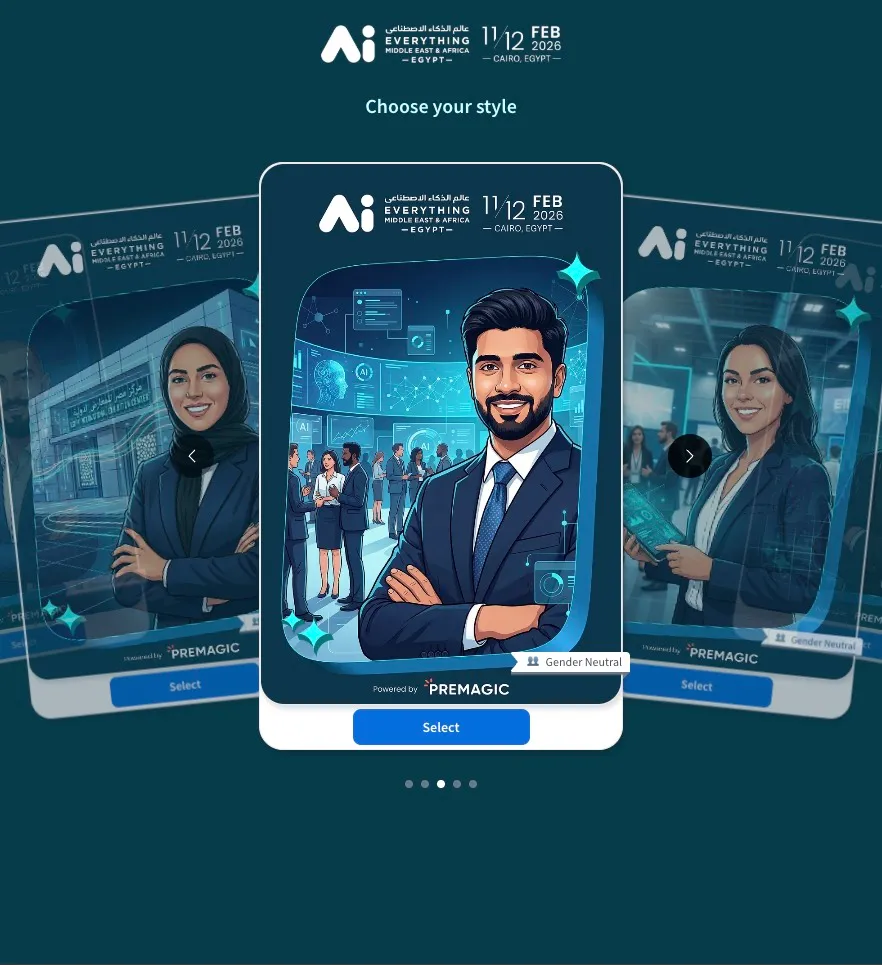
Here’s what’s new:
- Guests can now upload a photo instead of being forced to take a live selfie.
- Organisers can customise the welcome message on the first screen and a closing message on the final screen.
- Users can now swipe through avatar options before selecting their favourite.
- We’ve added a gender-neutral ribbon for inclusive avatar selections.
- A new avatar card animation makes sharing feel more polished.
- You can now set a custom avatar limit per guest (anywhere between 1–20).
- Avatars can be enabled or disabled directly from the Event Dashboard — no more deleting and recreating the entire setup.
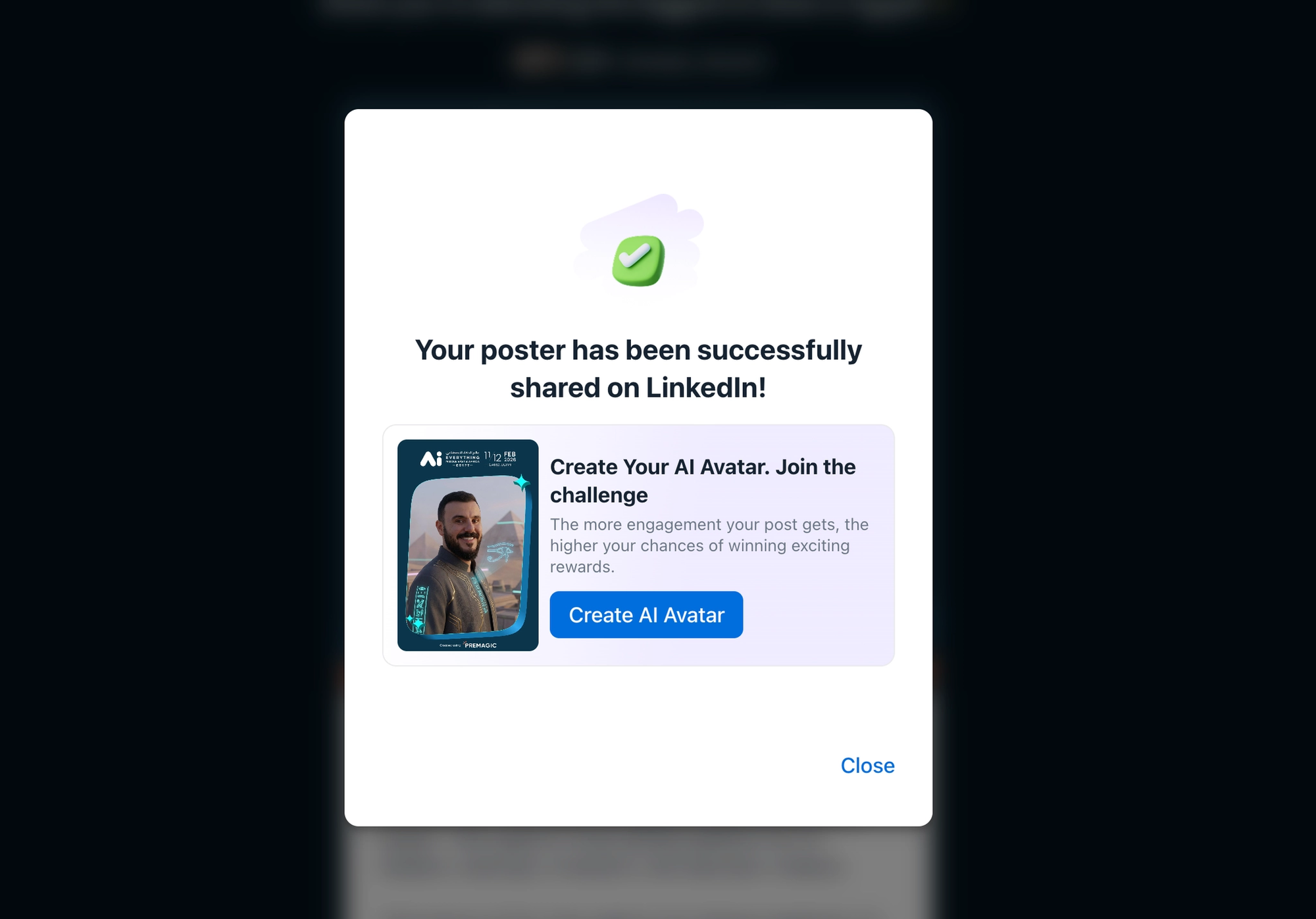
We’ve also added a smart new entry point: once a participant shares their advocacy poster, they’ll see a prompt asking if they’d like to create an avatar next. It keeps the engagement momentum going naturally.
On top of that, avatars now show up in your Insights Advocate listing — so you can see exactly who created and shared them.
Poster Links Added to Bulk Downloads (Premium Feature)
You can now access a personalised poster link inside your bulk-downloaded CSV file.
This means that when you export your advocate data, you’ll see a new column containing each attendee’s individual poster link.
For teams running deeper follow-ups or tracking referral performance more closely, this unlocks new flexibility. This is available as a premium feature and can be enabled separately.
Simplified Access Permissions
We’ve cleaned up how user roles work inside Premagic.
You can now assign users at the event level using three clear roles:
- Manager
- Viewer
- Photographer
Each role has defined permissions, and you can customise what each person is allowed to access or manage.
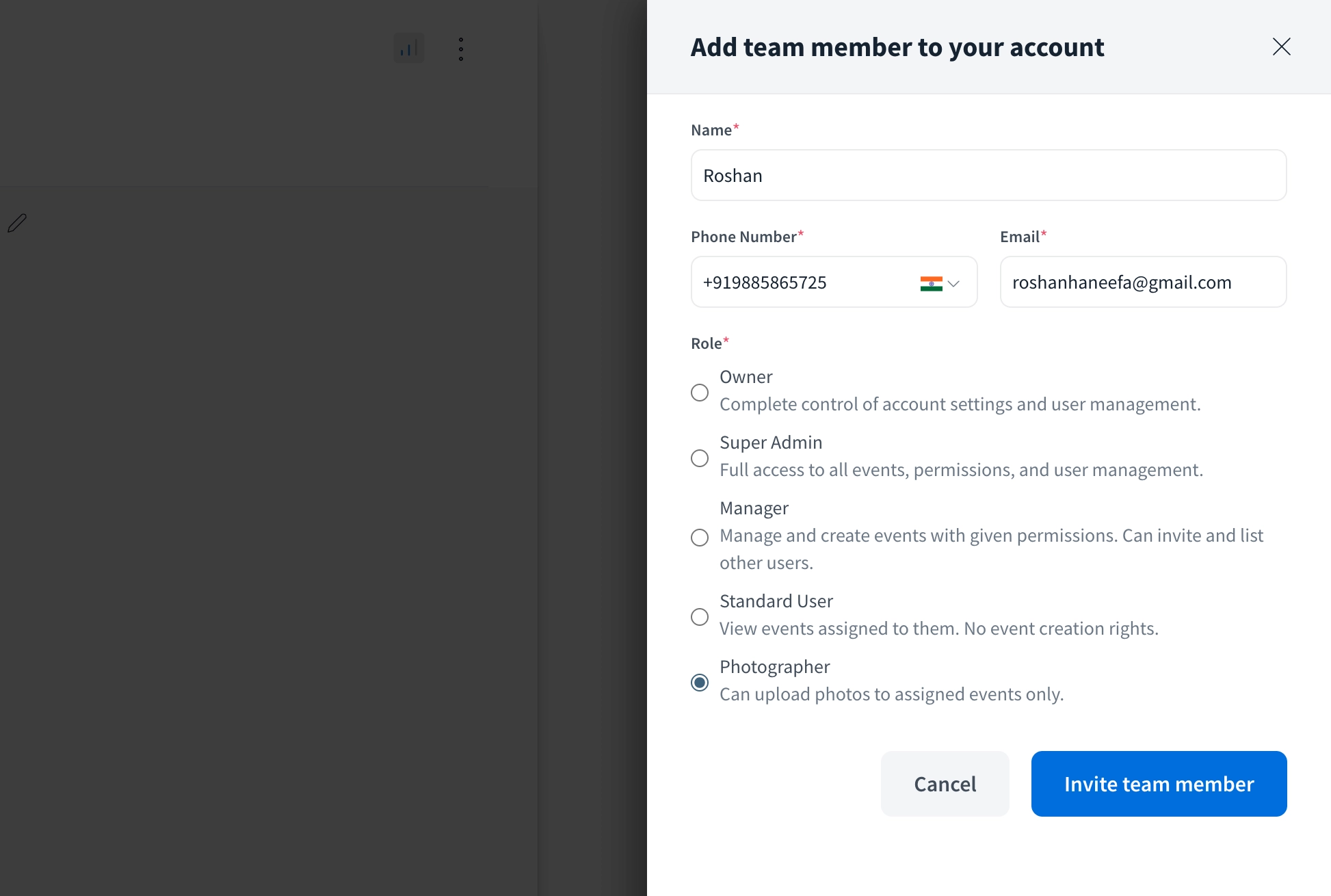
For example:
- A Photographer can upload photos but not edit event settings.
- A Viewer can see reports but not make changes.
- A Manager can control campaign elements and team permissions.
You can also create custom combinations based on what your team needs.
It’s a simpler, clearer system — especially helpful when multiple teams are collaborating across large events.
Check out Premagic's January Updates
Improved Insights Dashboard
Your Insights view is now more actionable.
Here’s what’s new:
- Avatar activity now appears directly in the Advocate listing.
- You can filter advocate posts by specific poster designs.
- New filters help you quickly understand which designs are performing best.
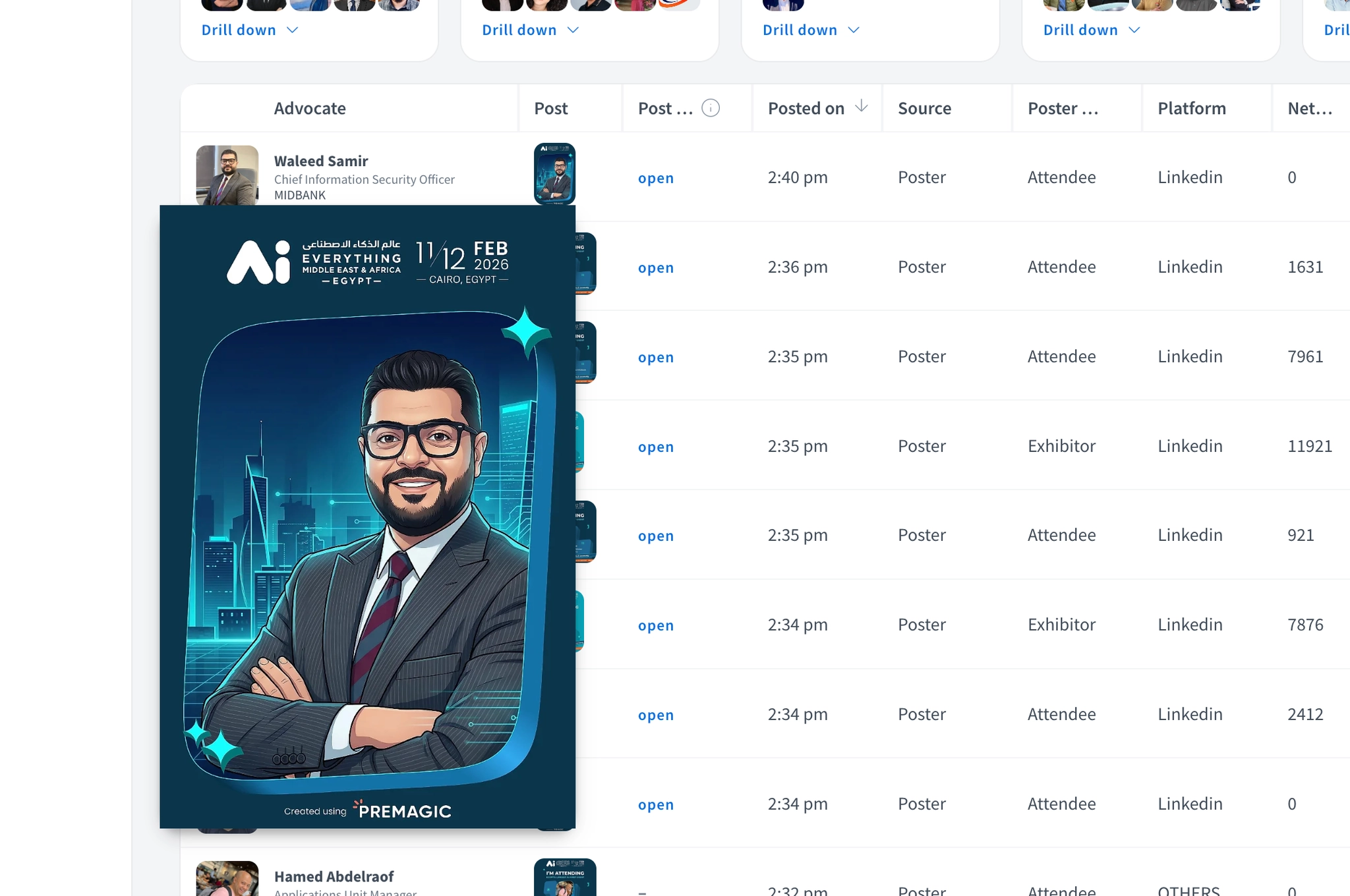
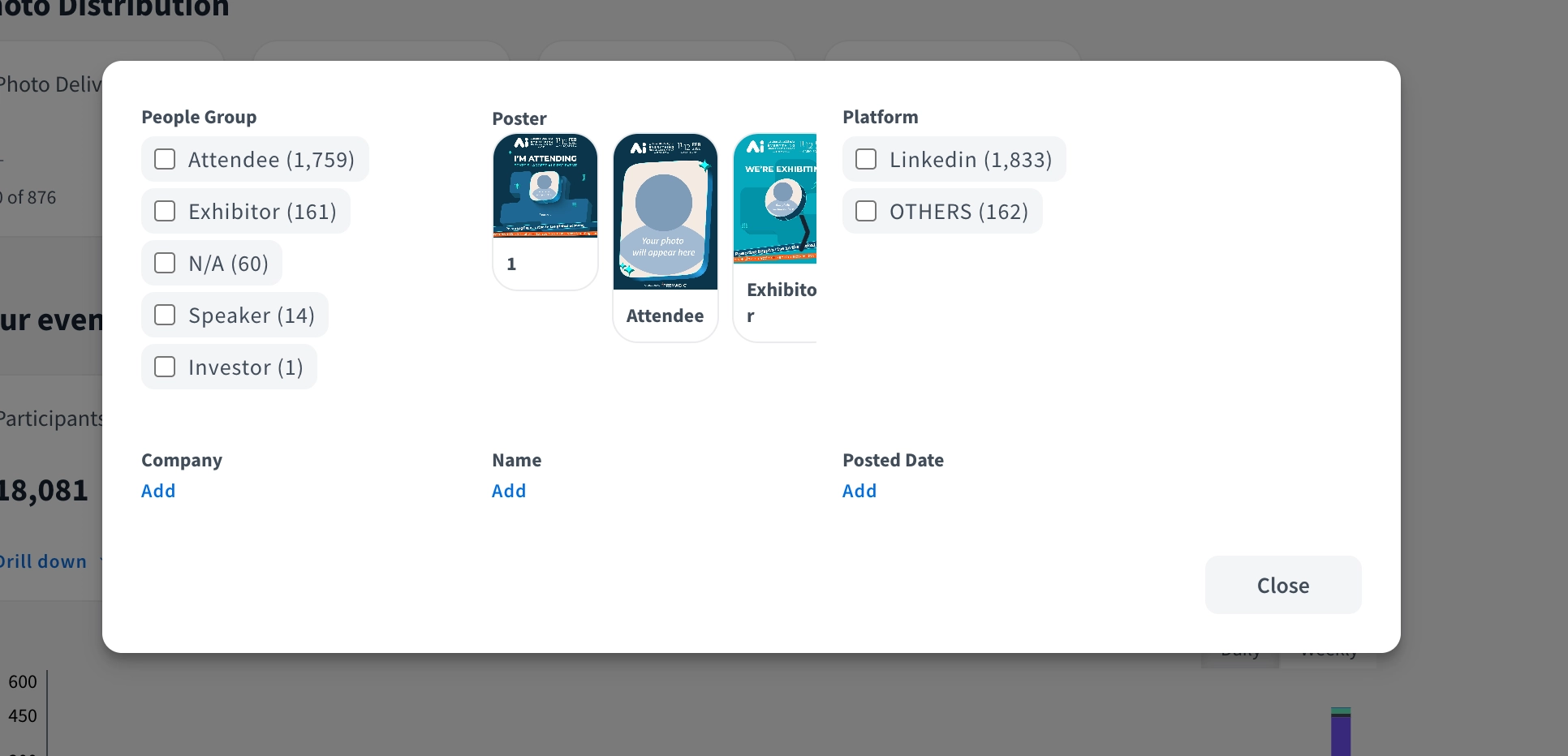
For example, if you’re running multiple poster themes, you can now filter by a specific design and see exactly how that creative is performing across shares.
This makes it easier to optimise creative direction mid-campaign instead of waiting until the event is over.
That’s February
This month was about tightening the system.
Better avatar journeys. Cleaner team permissions. More transparent reporting. Faster interactions.
If you’d like to see any of these updates in action or explore how they fit into your upcoming events, book a demo with our team and we’ll walk you through it.
More coming soon.